

USB-C Hub Buying Guide: Ports, Video and Power Explained
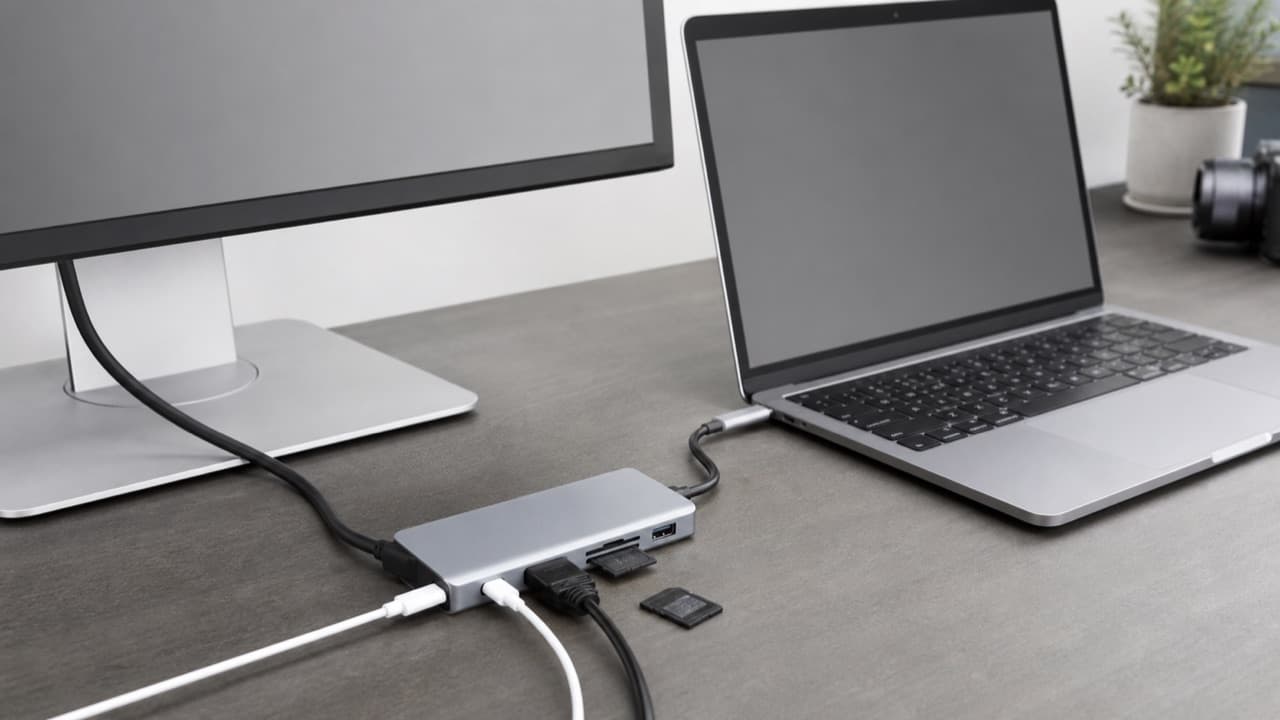
This USB-C hub buying guide starts with one fact: USB-C is only a connector shape, so a hub can do no more than your laptop’s port, the hub’s own chips and the cable between them allow. Work out what your host port supports for video, charging and speed, then pick a hub whose ports match what you plug in every day. It is written for laptop, tablet and handheld owners who want to turn one or two ports into a monitor, Ethernet, card reader and charger without buying a hub that quietly caps the monitor at 30 Hz or throttles a fast drive.
Key takeaways
- Check your host port first: video output (DisplayPort Alt Mode), Thunderbolt or USB4, power delivery and maximum data speed are listed in the laptop’s manual or spec page.
- Video limits come from three places together: the host, the hub and the cable. A hub labelled 4K may only deliver 4K at 30 Hz in some modes.
- Pass-through charging sends less to the laptop than the charger puts out, because the hub uses some power. Pick a hub and charger that cover the laptop’s wattage with room to spare.
- Every port on a hub shares one upstream connection. A fast SSD, a card reader and a webcam on a 5 Gbps hub compete for the same bandwidth.
- Port spacing, cable length and heat decide whether a hub is pleasant to use, and none of them appear in the headline spec.
- A single-purpose adapter is cheaper and more reliable than a hub if you only need one extra port.
Start with your laptop’s USB-C port
Two ports that look identical can differ in video, charging and speed. Check the manual or the spec page for these items, and look for the icons beside the port: a lightning bolt for Thunderbolt, a D-shaped DisplayPort symbol for video, a battery symbol for charging.
- USB 2.0 over USB-C runs at 480 Mbps, often found on phones and some budget tablets, and usually carries no video.
- USB 3.2 Gen 1 (formerly called USB 3.0) runs at 5 Gbps, and USB 3.2 Gen 2 runs at 10 Gbps. Video depends on whether the port also supports DisplayPort Alt Mode.
- USB4 runs at 20 or 40 Gbps and is built to carry video as standard.
- Thunderbolt 3 and 4 run at 40 Gbps, carry video and can drive a dock with several displays and fast storage. Thunderbolt 4 sets stricter minimums than Thunderbolt 3.
Not every USB-C port can output video or accept charging. Some budget laptops, tablets and phones omit one or both, and a hub cannot add what the host lacks. If your manual is vague, search the exact model number plus “USB-C DisplayPort” or “USB-C power delivery”.
Video output: resolution, refresh rate and monitor count
USB-C carries four high-speed lanes. Two modes matter for hubs. In a four-lane DisplayPort mode, all four lanes carry video and data drops to USB 2.0 speeds. In a two-lane mode, video gets two lanes and the other two carry USB 3 data. Many hubs use the second mode so that ports stay fast, which is why a hub that handles 4K at 60 Hz alone may fall back to 4K at 30 Hz when its USB ports are busy, or may need a laptop with a newer DisplayPort version to reach 60 Hz. Read the spec closely for the words “4K at 60 Hz” and any conditions beside them.
- HDMI version. HDMI 1.4 ports are generally limited to 4K at 30 Hz, while HDMI 2.0 supports 4K at 60 Hz. 1080p at 60 Hz works on both.
- Dual monitors. Hubs with two video ports often split one stream, using a method called MST. Windows generally supports it, but macOS generally does not, so a Mac may mirror both displays or need DisplayLink drivers. Apple’s base-model chips also have limits on external displays, so confirm for your specific laptop.
- Cable and display. A poor HDMI cable or a monitor input set to an older mode can cap resolution even when the hub is capable.
- Phones and tablets. Many support video out over USB-C, but some budget models do not. Check before you buy.
Power Delivery pass-through: sizing the charger
Most hubs let you plug a charger into one port and charge the laptop through it. Hubs list a pass-through wattage such as 60 W, 85 W or 100 W, and the hub itself draws some power from that, so the laptop receives a bit less than the charger supplies. A 100 W charger feeding a hub may leave the laptop with the equivalent of a mid-80s watts charger, and the more devices you plug into the hub, the less is available.
The practical check has three parts. First, find what the laptop needs: the rating printed on its original charger is the best guide. Second, choose a hub whose pass-through rating meets or exceeds it. Third, use a charger that meets or exceeds the hub’s rating, from a reputable maker. A thin laptop that ships with a 65 W charger usually works well with a 65 to 100 W charger and a hub rated near 85 to 100 W. If the pass-through is lower than the laptop wants, it may charge slowly or not at all under load.
Cables matter too. Standard USB-C cables are rated for up to 3 A, which at 20 V is 60 W. Reaching 100 W takes a cable rated for 5 A, which has an electronic marker chip in it. A charge-only cable may not carry data or video at all. Our fast charging explainer covers wattage by device, cables and GaN chargers in more detail.
Data speed, card readers and Ethernet
A hub has one cable to the laptop, and everything on it shares that link. A hub rated at 5 Gbps delivers a few hundred megabytes per second in practice, shared by every connected device, and 10 Gbps hubs roughly double that. That is plenty for a keyboard, mouse and webcam, but it matters if you copy large video files while a second drive runs a backup.
- Card readers. SD cards labelled UHS-I top out near 104 MB/s, and UHS-II cards reach up to roughly 312 MB/s. The reader, the card and the hub link must all support the faster standard to get it.
- Ethernet. Gigabit (1,000 Mbps) is the common standard on hubs and docks, while 2.5 Gbps ports exist on some. A wired link is more stable than Wi-Fi for video calls; if your Wi-Fi is the weak point, our Wi-Fi 6 router upgrade guide covers the other fix.
- USB-A and USB-C ports. Count how many devices you plug in at once, and check the speed printed beside each port, since some hubs mix 5 Gbps and 480 Mbps ports.
- Wireless dongle interference. USB 3 devices can add noise in the 2.4 GHz band, so a mouse or keyboard receiver plugged beside a busy USB 3 port can stutter. Move the receiver to a different port, use a short extension cable, or switch to Bluetooth.
Hub types compared
| Type | Typical ports | Best for | Limits |
|---|---|---|---|
| Compact travel hub | HDMI, one or two USB-A, USB-C charging pass-through, sometimes SD | Presentations, hotel TVs and light desk use | Often limited video modes and modest speed when ports are busy |
| Desk hub | HDMI, Ethernet, SD reader, three or more USB ports, PD pass-through | A home office with one monitor | Shared bandwidth; one video output on most models |
| Thunderbolt or USB4 dock | Dual display outputs, Ethernet, many USB ports, high-wattage charging | Two monitors and fast storage on a desk | Costs more and needs a matching laptop port |
| DisplayLink dock | Multiple video outputs through a driver | Extra monitors on laptops that limit native outputs | Needs a driver and uses compression, so it is less suited to fast-moving video or gaming |
| Single-purpose adapter | One extra port, such as HDMI or Ethernet | Occasional use with one missing port | No pass-through unless it is built in |
Design details that decide daily use
- Port spacing. Wide USB drives and chunky dongles can block the port beside them. Check the spacing or plan to use a short extension cable.
- Cable or direct plug. A hub with a short built-in cable keeps it clear of other ports on the laptop, while a direct-plug design can pry on the port when the laptop moves.
- Heat. Hubs run warm, especially when driving video and charging. Metal bodies shed heat well. Do not tuck the hub under the laptop or inside a bag while it is working.
- Drivers. Most hubs work without software, but DisplayLink, some Ethernet chips and a few multi-display docks need installation. Check the operating system you use.
- Safe removal. Eject drives from the operating system before unplugging a hub, so a transfer in progress is not cut off.
- Maker and returns. Choose a hub with clear specs, a warranty and an easy return window, since compatibility problems often only show up in your own setup.
Mistakes to avoid
- Buying by the number of ports. A seven-port hub on a 5 Gbps link has the same bandwidth as a three-port one.
- Assuming every USB-C port supports video. Check the host before you spend money.
- Ignoring refresh rate. 4K at 30 Hz feels sluggish for scrolling and cursor movement, and the spec sheet often hides it in small print.
- Using the wrong charger and cable. A 45 W charger with a 65 W laptop will charge slowly under load, and a 3 A cable cannot carry 100 W.
- Expecting dual 4K from a basic hub. Two high-resolution monitors usually need a Thunderbolt or USB4 dock or a DisplayLink dock.
- Plugging a wireless receiver beside a busy USB 3 drive. It can cause stutter, and it is a cheap fix to move it.
Which USB-C hub fits you
- Pick a compact travel hub if you mostly need HDMI, a USB-A port and charging for a presentation or a hotel TV.
- Pick a desk hub with Ethernet, a card reader and USB ports if one monitor and a few peripherals cover your workday. Our remote worker desk setup guide shows where a hub fits alongside the headset and webcam.
- Pick a Thunderbolt or USB4 dock if you want two monitors, fast storage and strong charging from one cable.
- Pick a DisplayLink dock if your laptop or operating system limits external monitors and you can accept the driver.
- Pick a single adapter if you only miss one port.
If you travel with your hub, pack it with the rest of your charging gear; our guide to organizing travel cables, power banks and adapters shows a lean kit. For video calls, pair a wired connection with decent lighting, covered in our budget webcam lighting guide. You can browse related accessories in electronics and accessories.
Frequently asked questions
Do all USB-C ports support video?
No. Video output depends on DisplayPort Alt Mode, Thunderbolt or USB4 support in the host, and some laptops, tablets and phones leave it out. Check the device manual or spec page before buying a hub for an external monitor.
Why is my external monitor stuck at 30 Hz through a USB-C hub?
Common causes are an HDMI 1.4 port on the hub, a two-lane video mode shared with USB data, or an older cable or display setting. Check the hub’s 4K at 60 Hz conditions, use a rated HDMI cable, and confirm the display’s refresh setting in your operating system.
Can a USB-C hub charge my laptop?
Many can, through a pass-through port that accepts your charger. The hub’s rating needs to cover the laptop’s wattage with a little to spare, because the hub uses some power itself, and the charger and cable need to meet that rating as well.
What is the difference between a USB-C hub and a dock?
A hub is typically small and bus-powered with a handful of ports, while a dock is larger, often with its own power supply, more ports and support for multiple displays and higher charging wattage. Thunderbolt and USB4 docks need a matching laptop port to deliver full performance.
Why does my hub get hot?
Hubs run warm because the chips that convert video and manage power produce heat, and it is normal for them to feel warm to the touch, especially with video and charging active. If it becomes too hot to hold or shows glitches, unplug it and check the manual or contact the maker.
Shop Tech & Gadgets
View all →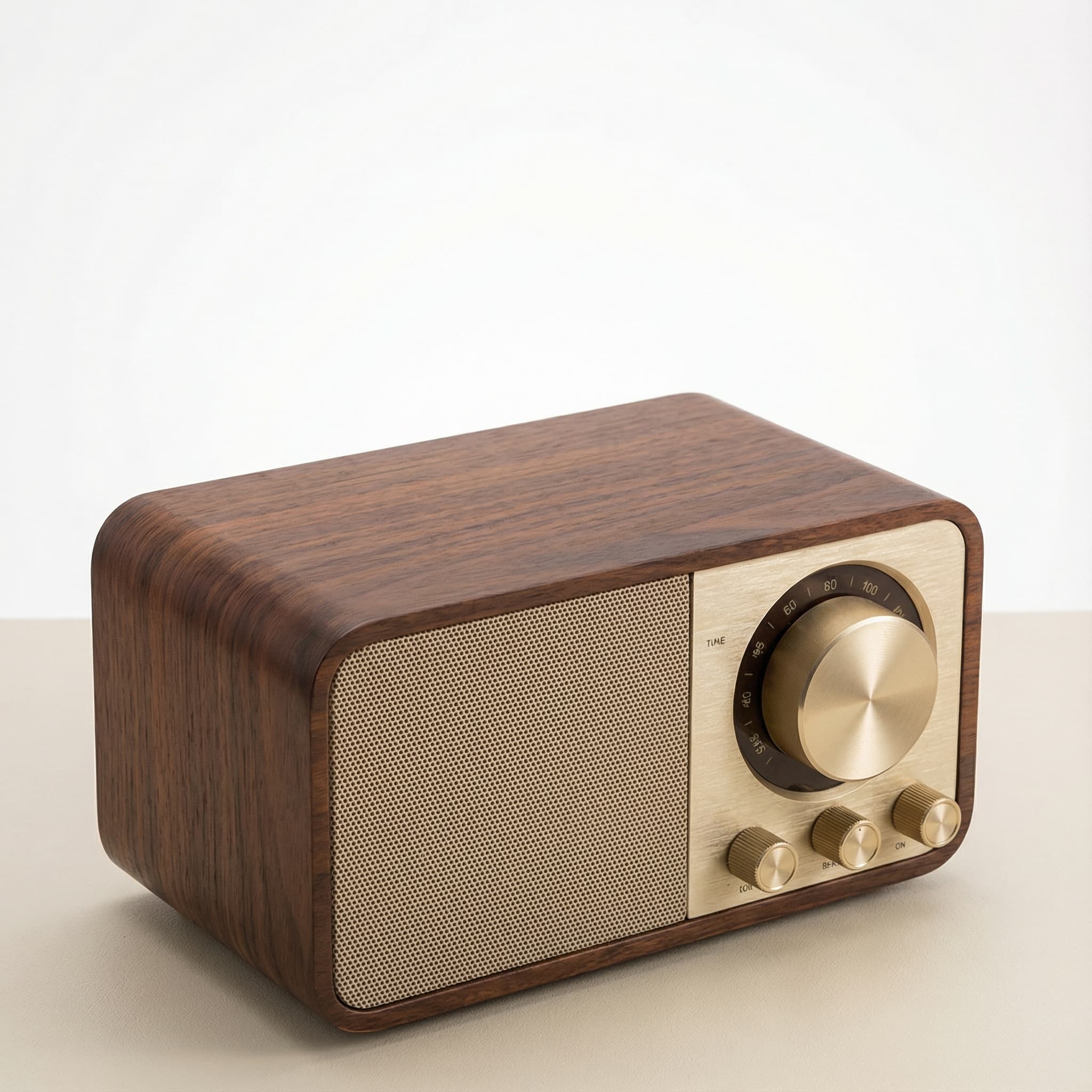 Sale
SaleRetro Wood-Cabinet Bluetooth Speaker with FM Radio
In stock · Ships in 7–21 business days

Ortizan X10 Portable Bluetooth Speaker with RGB Lights
In stock · Options available · Ships in 7–21 business days

Ohayo X10 Max Bluetooth Speaker with Bass Boost and Lights
In stock · Options available · Ships in 7–21 business days
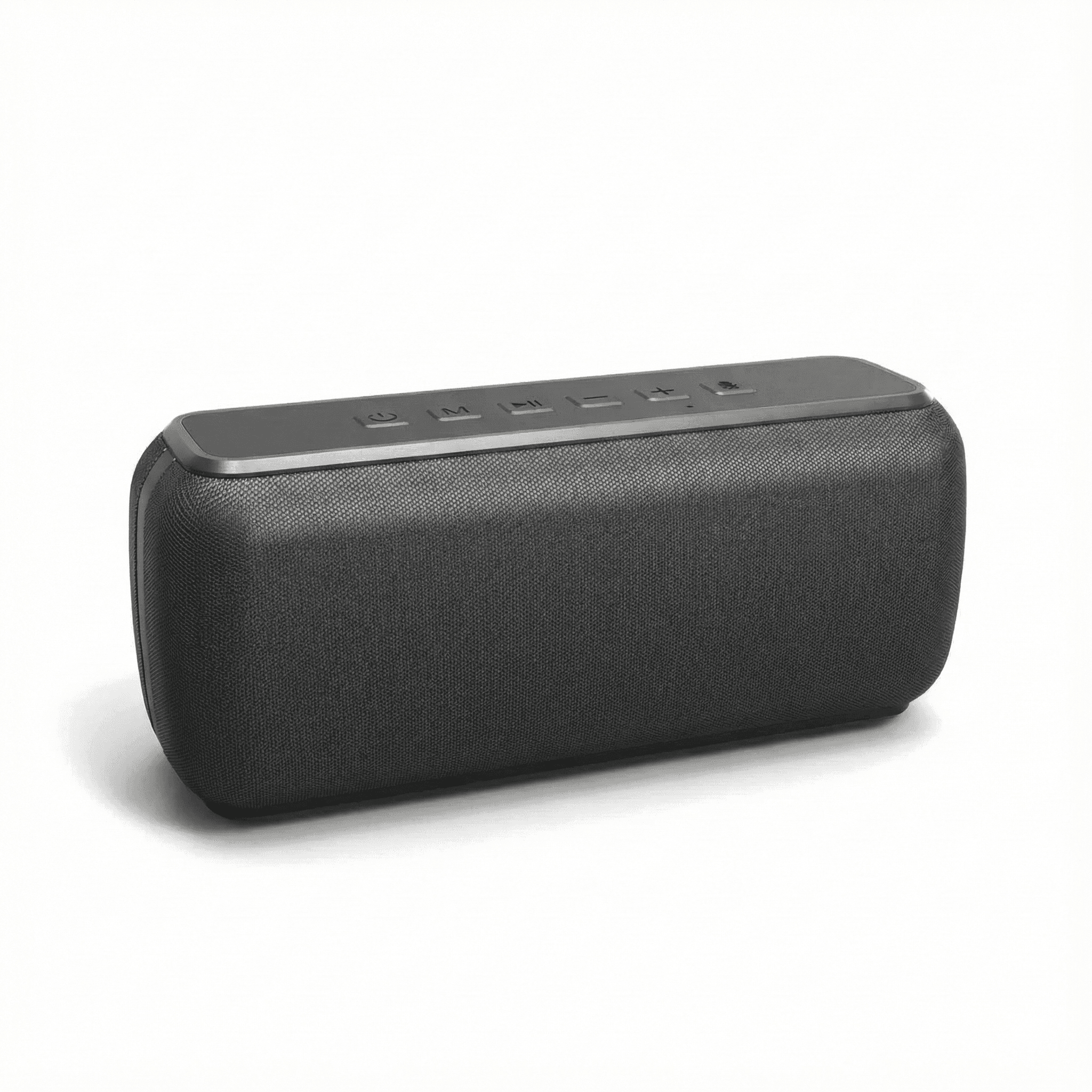
Xdobo X8 II Portable Bluetooth Speaker with Power Bank
In stock · Options available · Ships in 7–21 business days
Continue reading
 Tech & Gadgets
Budget Webcam Lighting: Look Better on Video Calls
Budget webcam lighting that works: where to place a key light, window tricks, color temperature and CRI, ring light glare fixes and webcam settings to lock.
 Tech & Gadgets
Beginner Camera Drone Buying Guide: Rules, Camera, Battery
A beginner camera drone guide for US flyers: FAA rules by weight, what camera specs really mean, realistic flight time, safety features and repair support.
 Tech & Gadgets
GPS Watch Accuracy: Dual-Band, Pace and Battery Explained
GPS watch accuracy explained: why distance and pace drift, when dual-band GNSS helps, why race distances read long, and how GPS modes change battery life.