

Fast Charging Explained: USB-C PD, GaN Chargers and MagSafe
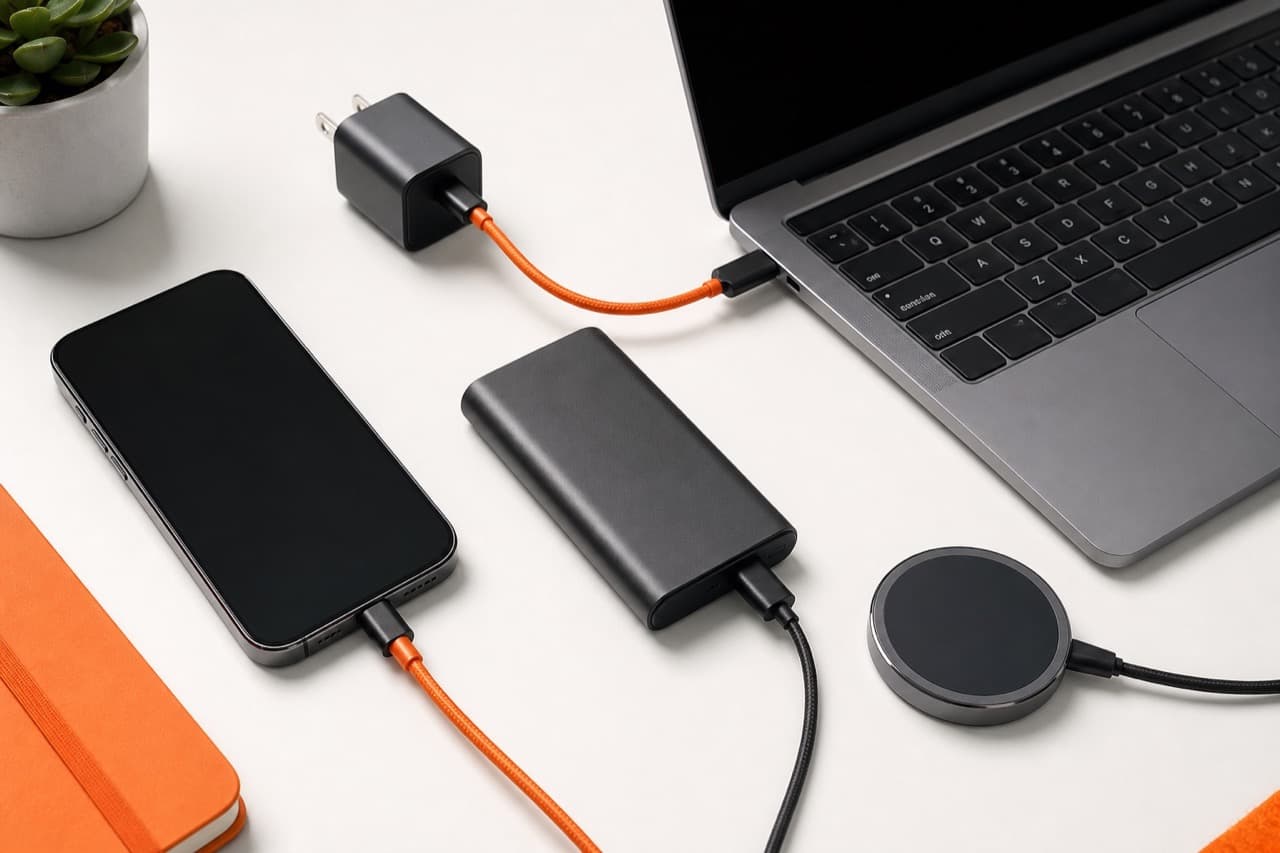
Fast charging works when your charger, cable and device all agree on a higher-power profile; most of the time that profile is USB-C Power Delivery (PD), sometimes with PPS on Samsung and other Android phones. With fast charging explained in one line: buy a USB-C PD charger with enough watts for your largest device, use a cable rated for that wattage, and treat GaN as a size and heat advantage rather than a speed setting. This guide is for anyone choosing a new wall charger, cable or wireless pad for phones, tablets, earbuds and laptops, and it covers the standards in plain terms, the compatibility traps, and what MagSafe and Qi2 can and cannot do.
Key takeaways
- USB-C PD is the common fast-charging standard for iPhones, Pixels, iPads, most laptops and many accessories.
- Samsung’s faster Super Fast Charging modes need a PD charger that also supports PPS; plain PD still charges, just slower.
- Standard USB-C cables carry up to 60W; anything above needs a 5A e-marked cable rated 100W or 240W.
- GaN chargers are smaller and run cooler for the same wattage; they do not make your phone charge faster than its own limit.
- Multi-port chargers split their total wattage, so a 65W charger may give much less to each device when several are plugged in.
- Wireless charging is convenient but slower and warmer than wired; magnetic alignment (MagSafe, Qi2) helps efficiency.
How USB-C Power Delivery works
A USB-C PD charger does not force power into a device. When you plug in, the charger advertises the voltage and current levels it can supply, the device asks for one, and the charger switches to it. If anything in the chain cannot support a level, both sides fall back to a lower one. That negotiation is why a 100W charger is safe for earbuds that only need a few watts.
Under the PD standard, chargers offer fixed voltages of 5V, 9V, 15V and 20V. At up to 3 amps, that tops out at 60W; with a 5A cable it reaches 100W. The newer Extended Power Range (EPR) in PD 3.1 adds 28V, 36V and 48V steps for up to 240W, aimed at large laptops and needing EPR-rated 240W cables.
PPS: the Android detail that matters
Programmable Power Supply (PPS) is an optional part of PD that lets the phone request voltage in fine steps, keeping more of the conversion heat in the charger instead of the phone. Samsung’s Super Fast Charging (25W) and Super Fast Charging 2.0 (45W) modes require PPS, and the 45W mode also needs a 5A cable. A charger listing that says PD but not PPS will still charge a Galaxy phone, just at a lower rate.
What about Quick Charge and other brand protocols?
Qualcomm Quick Charge and various phone-maker protocols exist, especially on older or China-market phones. Some brands’ highest speeds only work with their own charger and cable. If your phone uses a proprietary protocol, a PD charger will typically still fast charge it at a lower PD-level speed.
Charger wattage by device
| Device | Typical useful charger | Notes |
|---|---|---|
| Earbuds, watches, small accessories | 5 to 10W | Any USB charger works; faster chargers add nothing |
| Recent iPhones | 20 to 30W USB-C PD | Apple quotes about 50 percent in around 30 minutes with a 20W or higher adapter on supported models |
| Samsung Galaxy flagships | 25W or 45W PD with PPS | 45W only on models that support it, with a 5A cable |
| Tablets and iPads | 20 to 45W PD | Larger tablets benefit from the upper end |
| Thin laptops (13 to 14 inch) | 45 to 65W PD | Lower wattage charges slowly or only when idle |
| Performance laptops | 90 to 140W or more | Check the laptop’s own charger rating and cable needs |
Phones charge fastest from a low battery and slow down considerably above roughly 80 percent to protect the cells, so a bigger charger mostly shortens the first part of the charge.
Cables: the most common bottleneck
- 60W cables (3A) handle phones, tablets and most small laptops. Most USB-C to USB-C cables in the box are this type.
- 100W or 240W cables contain an e-marker chip that tells the charger they can safely carry 5A. Without it, a 100W charger limits itself to 60W.
- USB-A to USB-C cables cannot carry USB-C PD, so they fall back to slower charging even on a PD-capable charger.
- Charging speed and data speed are separate. A 240W cable may only transfer data at USB 2.0 speed; check both specs if you also use it for drives or displays.
USB-IF certified cables and chargers carry logos stating wattage, which is a reasonable way to avoid mislabeled no-name cables. If you also need ports and display output, see the USB-C hub buying guide, since hubs pass through less power than the charger supplies.
What GaN chargers really change
Gallium nitride (GaN) transistors switch faster and waste less energy as heat than traditional silicon parts. Designers use that to shrink the transformer and other components, so a GaN charger can deliver 65W from a block close to the size of an old 20W phone brick. Benefits are smaller size, lower heat at the same wattage, and practical multi-port chargers for travel. What GaN does not do is raise your phone’s maximum charging rate; a 20W phone charges at about the same speed from a 20W silicon charger and a 65W GaN charger.
On multi-port GaN chargers, read the power-split table on the product page or box. A 65W charger might give 65W to a single port but drop to something like 45W plus 20W with two devices, and some briefly cut power to all ports when you plug in a new device while they renegotiate. Our guide to travel power banks and plug adapters covers building one-charger travel kits.
MagSafe, Qi and Qi2 wireless charging
Wireless charging loses some energy as heat, and coil alignment determines how much. Standard Qi pads range widely; iPhones typically charge at up to 7.5W on generic Qi pads. MagSafe uses magnets to align the coil and supports up to 15W on iPhone 12 through 15, and up to 25W on iPhone 16 models with the newer MagSafe charger and a 30W adapter. Qi2 brings magnetic alignment to the open Qi standard at 15W, and newer Qi2 versions raise this to 25W on supported phones. Any of these needs a strong enough wall adapter behind it; a MagSafe puck on a 5W brick will crawl.
Wireless suits bedside and desk top-ups, where speed matters less. Multi-device stands and alarm clocks add convenience but split power; the smart alarm clock wireless charging guide explains what to check, and ADLTHUB’s 6-in-1 Smart Alarm Clock and Wireless Charger lists its charging details on the product page. If a pad keeps stopping, the wireless charging troubleshooting guide covers cases, alignment and adapters.
Mistakes to avoid
- Buying a high-watt charger and pairing it with an old cable. The cable caps the speed, often at 60W or less.
- Assuming PD means Samsung fast charging. Check for PPS if you own a recent Galaxy phone.
- Ignoring the per-port split. A 100W multi-port charger may not run a laptop at full power while charging a phone.
- Charging under a pillow or in a thick case. Heat is the main enemy of battery life and makes devices slow charging on purpose.
- Buying unbranded chargers with no safety listing. Look for recognized safety certification such as UL or ETL on wall chargers.
- Expecting wireless to match wired speed. Even 25W wireless is usually slower and warmer than a good wired charge.
How to choose a fast-charging setup
- Pick a 20 to 30W USB-C PD charger if you only charge an iPhone, Pixel or earbuds.
- Pick a 45W PD charger with PPS and a 5A cable if you have a Galaxy phone that supports 45W.
- Pick a 65W GaN charger with two or three ports if you want one travel charger for a thin laptop and a phone.
- Pick 100W or more with an e-marked cable if your laptop shipped with a charger above 65W.
- Pick a MagSafe or Qi2 stand if overnight and desk charging matter more than speed.
Browse chargers, speakers and accessories in ADLTHUB’s electronics and accessories category.
Frequently asked questions
Can a higher-watt charger damage my phone?
No, not with a standards-compliant USB-C PD charger. The phone requests only the power it can handle, so a 100W charger delivers a phone’s usual rate. Poor-quality, uncertified chargers are the real risk.
Is a GaN charger faster than a regular charger?
Not by itself. GaN makes chargers smaller and cooler at a given wattage. Charging speed depends on the wattage, the protocols supported and the device’s own limit.
Does fast charging hurt battery life?
Fast charging adds some heat, and heat is what ages lithium batteries. Phones manage this by slowing near full and with optimized charging features, so everyday fast charging is generally fine; avoid charging in hot places.
Do I need a special cable for 100W charging?
Yes. You need a USB-C cable rated for 5A, which contains an e-marker chip. Without it, chargers limit output to 60W.
Is MagSafe faster than a regular wireless charger?
Usually yes for iPhones, because magnetic alignment and Apple’s certification allow up to 15W or 25W on supported models, compared with about 7.5W on generic Qi pads. It is still slower than a wired USB-C PD charger.
Products featured in this guide
View all →
Continue reading
 Tech & Gadgets
USB-C Hub Buying Guide: Ports, Video and Power Explained
USB-C hub buying guide: check what your laptop port supports, read data speed labels, size power pass-through and match the video and ports you need.
 Tech & Gadgets
Portable Speaker Battery Care: Charging, Storage and Heat
Portable speaker battery care made simple: how to charge, store and use a Bluetooth speaker so its lithium-ion battery lasts longer and stays safe.
 Tech & Gadgets
GPS Watch Accuracy: Dual-Band, Pace and Battery Explained
GPS watch accuracy explained: why distance and pace drift, when dual-band GNSS helps, why race distances read long, and how GPS modes change battery life.