

Robot Vacuum Setup: Stop It Getting Stuck at Home
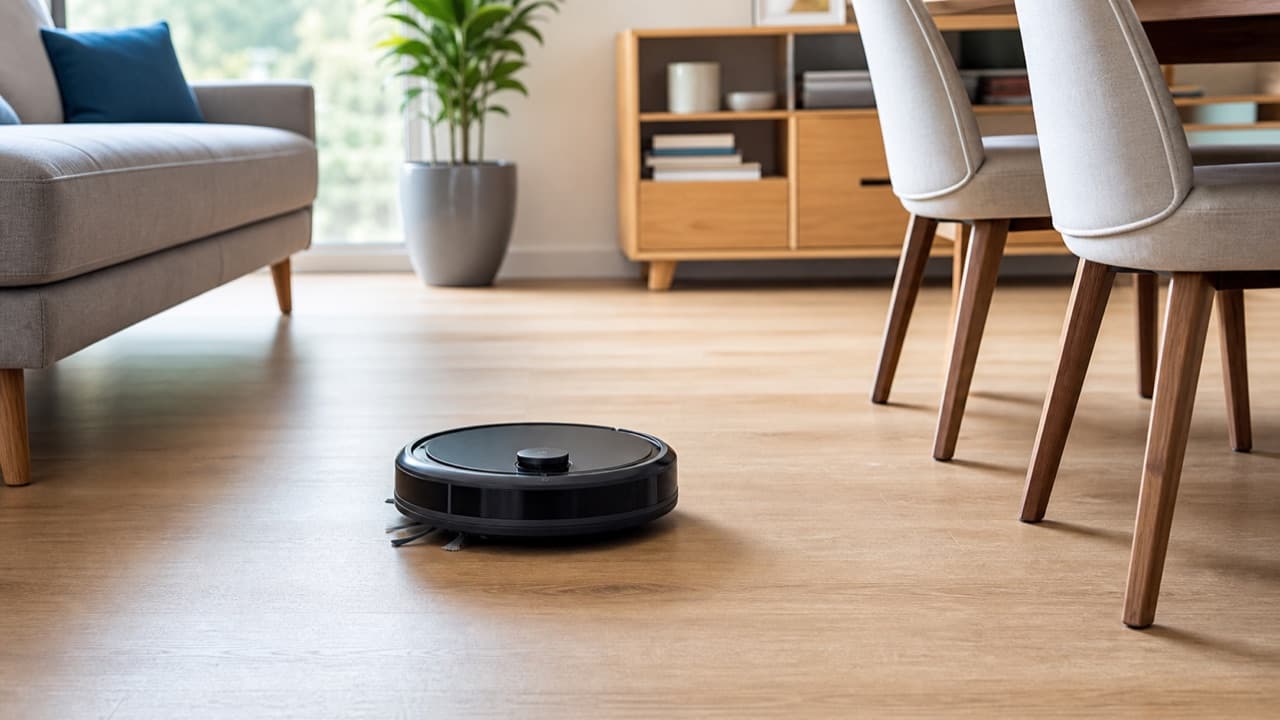
Good robot vacuum setup is mostly about the first week: clear the floor for a clean initial map, mark no-go zones around trouble spots, deal with cords and rug tassels, and keep the sensors clean. Most robots that “keep getting stuck” are stuck in the same three or four places, and each one has a simple fix. This guide is for new owners who’ve unboxed a robot and want it running on schedule without daily rescues, and for anyone whose robot has become more chore than help.
Key takeaways
- Run the first mapping pass with doors open, chairs pushed in and floors cleared, so the map reflects your real layout.
- Use no-go zones or virtual walls for cord tangles, pet bowls, low furniture and rugs the robot can’t handle.
- Bundle and lift cords off the floor. They’re the most common cause of stalls and tangled brushes.
- Note every spot where the robot gets stuck for a week, then fix the cause: a ramp, a riser, a block or a zone.
- Wipe cliff sensors, the bumper and any camera window regularly; dirty sensors cause erratic behavior.
Before the first run: dock placement and room prep
Place the dock where the robot can find it
Put the dock on a level hard floor against a wall, near an outlet and within Wi-Fi range. Follow the clearance in your manual; many makers recommend roughly 1.5 feet (45 cm) open in front and several inches on each side. Keep it away from stair edges, and avoid spots in direct sunlight or behind a door that swings closed. Tuck the dock’s power cord into its cable channel so the robot can’t snag it.
Prep for the mapping pass
- Open interior doors to every room you want mapped.
- Pick up shoes, toys, socks, pet toys and charging cables.
- Push dining chairs in and lift lightweight floor items, such as floor-standing laundry baskets, out of the way.
- Turn on lights in darker rooms if your robot uses a camera for navigation.
- Close off areas you never want cleaned, such as a room with loose cables.
Let the first run finish without interruption. Picking the robot up mid-map can confuse its location and produce a distorted map you’ll need to redo.
Edit the map: rooms, no-go zones and virtual walls
Once mapping is done, the app usually divides the floor into rooms. Check the room boundaries and merge or split rooms where it guessed wrong; good room divisions let you clean the kitchen daily and the guest room weekly.
Then add restrictions. Names vary by brand, but most apps offer some of the following:
| Tool | What it does | Use it for |
|---|---|---|
| No-go zone | A rectangle the robot won’t enter | Pet bowls, the cable nest behind a TV stand, a shag rug, a low sofa it wedges under |
| Virtual wall or line | A line the robot won’t cross | Closing off a doorway or a sunken room without shutting the door |
| No-mop zone | Lets a mopping robot vacuum but not mop an area | Carpets and rugs if the mop doesn’t lift |
| Physical magnetic strip | A boundary strip on the floor detected by some robots | Models without app mapping |
| Carpet settings | Suction boost, avoid carpet or mop-lift behavior | Balancing noise, battery and cleaning on rugs |
Keep no-go zones slightly larger than the problem itself, because robots have some positioning error. If a map rotates or shifts after furniture is moved, zones may need to be redrawn.
Fix the usual stuck spots
Cords and cables
Cables wrap around brush rolls and side brushes, and a robot pulling a phone charger can drag a device off a table. Bundle cables with ties or sleeves, clip them along baseboards or furniture legs, and lift power strips onto a wall mount or the back of furniture. Where a cluster can’t be tidied, a no-go zone is the fallback.
Rugs, tassels and bathmats
- Tassels and fringe: fold them under the rug, or set a no-go zone around the edges.
- Thin rugs and bathmats: add a non-slip rug pad or gripper tape so they don’t bunch, or lift them before runs.
- Rug edges that curl up: flatten with a rug gripper; a curled edge acts like a ramp the robot rides up on and gets stuck.
- Dark rugs the robot refuses: some models read very dark surfaces as a drop. Check your app for a cliff-sensor or carpet setting, and if none exists, accept that the rug needs manual cleaning.
Thresholds and transitions
Measure any transition the robot fails to climb. Small threshold ramps made for robot vacuums can bridge a few extra millimeters, but they must sit flat and not create a new edge. Alternatively, divide the home into zones and carry the robot over.
Low furniture and wedge points
Sofas, beds and cabinets with a gap just slightly taller than the robot’s body, but lower than any lidar turret on top, are classic traps. Either raise the furniture with risers so the robot fits comfortably, or block the gap with a slim barrier or a no-go zone. Recliner and rocker bases can also catch robots; a no-go zone around them is usually easiest.
Chairs, stools and narrow gaps
Clusters of chair legs slow the robot and drain battery as it weaves. Push chairs in or put them up on the table for scheduled runs, and block gaps narrower than the robot so it doesn’t try to squeeze through.
Obstacle avoidance: what to expect
Robots sense obstacles in different ways. Basic models rely on a physical bumper and infrared sensors, so they find things by bumping into them. Many mid-range robots use lidar or structured light to see walls and furniture. Camera-based systems on some models try to recognize small objects such as cables, socks and pet waste and steer around them.
Even good avoidance has limits. Thin cables, dark objects on dark floors and objects in dim light are harder to detect. Treat obstacle avoidance as a safety net, not a reason to skip a quick floor check, especially if you have a pet that sometimes has accidents.
Keep the sensors and brushes working
- Cliff sensors under the front edge: wipe with a dry microfiber cloth every week or two. Dust here can cause false drop readings.
- Bumper and front sensor window: wipe off dust and pet hair so the robot doesn’t misjudge distances.
- Camera or lidar window: clean gently as the manual describes; smudges affect navigation.
- Brush roll and side brushes: cut away wrapped hair and string regularly, and replace worn brushes.
- Wheels: remove hair wrapped around axles, which can cause the robot to drift or report a wheel error.
- Filter and bin: empty after runs and replace filters on the maker’s schedule. Our vacuum filter maintenance guide explains filter care that applies to small vacuums generally.
Mistakes to avoid
- Mapping a cluttered home. The robot maps obstacles as walls and may never clean those areas properly afterward.
- Running schedules while you’re away without a floor check. One cable or pet accident can stop the run or make a mess.
- Drawing no-go zones exactly to the edge. Small positioning errors let the robot clip the edge and get stuck anyway.
- Moving the dock around. The robot may struggle to locate itself; keep the dock in one fixed spot.
- Ignoring repeat failures. If it’s stuck in the same place three times, fix the spot rather than rescuing the robot daily.
Which fixes to prioritize
- Start with cords and clutter if the robot stops mid-run or reports brush errors.
- Use no-go zones and risers if it wedges under furniture or keeps getting trapped in the same corner.
- Add ramps or split zones if it can’t reach certain rooms.
- Clean the sensors first if it suddenly behaves erratically, refuses to cross floors it handled before or reports cliff errors.
- Remap if you’ve rearranged furniture significantly or the map looks distorted.
If you’re still deciding whether a robot suits your home, read is a robot vacuum worth it for your home first. The Goovi BR151 robot vacuum is one option on ADLTHUB; check its product page for features, delivery and returns, and browse more in home and kitchen.
Frequently asked questions
Why does my robot vacuum keep getting stuck?
The usual causes are cords, rug tassels or curled rug edges, low furniture gaps, tall thresholds and chair legs. Watch where it stops for a week, then fix each spot with cable management, a rug gripper, risers, a ramp or a no-go zone.
Should I be home for the first robot vacuum run?
It helps. Watching the first mapping run shows you where the robot struggles, and you can rescue it without interrupting the map more than necessary. Clear the floor and open doors beforehand.
How do I stop my robot vacuum from going under the couch?
Set a no-go zone around the couch in the app, block the gap with a slim barrier, or raise the couch with furniture risers so the robot fits comfortably underneath.
How often should I clean robot vacuum sensors?
Wiping the cliff sensors and bumper every week or two is a sensible habit, and more often in dusty homes or with pets. Follow your manual’s schedule and use a dry, soft cloth.
Do I need to remap after moving furniture?
For small changes, usually not; the robot adapts. After major rearrangements or if the map looks distorted, a fresh mapping run and redrawn no-go zones give better results.
Shop Home & Kitchen
View all →
3-Tier Over-Toilet Storage Rack in Powder-Coated Carbon Steel
In stock · Options available · Ships in 7–21 business days
 Sale
SaleWingback Massage Recliner Chair in PU Leather with Footrest
In stock · Options available · Ships in 7–21 business days
 Sale
SaleMid-Century Modern Accent Armchairs, Set of Two, Wood Frame
In stock · Options available · Ships in 7–21 business days

Fireplace Flame Ultrasonic Humidifier and Oil Diffuser
In stock · Options available · Ships in 7–21 business days
Continue reading
 Home & Kitchen
Is a Robot Vacuum Worth It for Your Home? Fit Checklist
Is a robot vacuum worth it for your home? Check thresholds, rug pile, dark floors, furniture clearance, pets, stairs and dock space before you buy one.
 Home & Kitchen
Knife Sharpening at Home: Stones, Rods and Pull-Throughs
Knife sharpening at home explained: honing vs sharpening, whetstone grits and angles, pull-through and electric sharpeners, serrated knives, and safe technique.
 Home & Kitchen
How to Vacuum Seal Wet and Dry Foods Without a Mess
How to vacuum seal wet and dry foods: pre-freezing soups and berries, paper towel and pulse tricks for meat juices, and handling flour, bones and snacks.